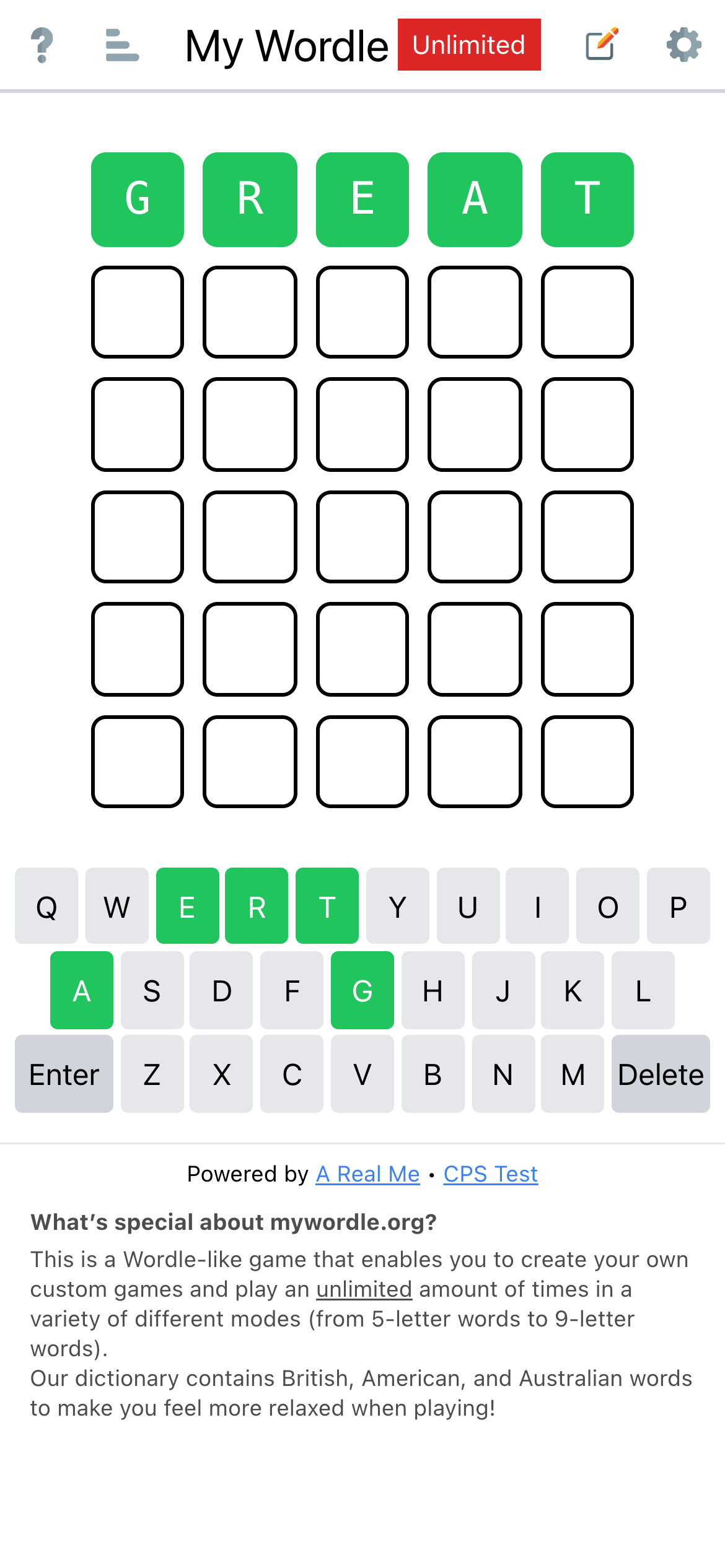
最近有个小游戏很火,叫 Wordle,是个填字游戏,推上随处可见相关分享。各种衍生版也层出不穷。有位朋友让我帮他复刻,反正过年,闲着也是闲着,我就尝试用标题里的新技术栈帮他写了一个。现在已经上线了,对填字游戏感兴趣的同学可以试试:
My Wordle(特色:1. 支持自定义单词;2. 5~9字母;3. 无限模式,可以一直玩。)
这篇文章简单记录一些开发过程和经验。
0. 创建 vite 项目
npm init vite@latest接下来按照提示选择喜欢的配置即可。
小配置下 vite.config.js,添加 @ 别名:
// 为了方便后面开发,改为函数式,这样获取状态更容易
export default defineConfig(({command, mode}) => {
  const isDev = command === 'serve'; // 这里先留个例子,后面骨架屏有用
  return {
    server: {
      host: true, // 允许外部访问,方便手机调试
    },
    plugins: [
      vue(),
    ],
    resolve: {
      alias: {
        '@': resolve(__dirname, './src'),
      },
    },
  };
});
注意,上面的配置文件虽然是 ESM,但实际上仍然在 CommonJS 环境里执行,所以有 __dirname。
然后安装依赖:pnpm i。
最后 npm run dev 即可启动开发服务器进行开发。Vite 真是快,空项目 100ms 就启动了。
1. 安装+配置 Tailwind CSS
pnpm i -D tailwindcss postcss autoprefixer
npx tailwindcss init -p
配置 tailwind.config.js
module.exports = {
  content: [
    "./index.html",
    // 注意:因为我喜欢用 pug 开发模版,所以一定要在这里添加 `pug`
    "./src/**/*.{vue,js,ts,jsx,tsx,pug}",
  ],
  theme: {
    extend: {},
  },
  plugins: [],
  // 这部分 css 需要通过比较复杂的计算得出,所以要用 `safelist` 保证它们出现在最终 css 里
  safelist: [
    {
      pattern: /w-\d+\/\d+/,
    },
    {
      pattern: /grid-cols-[5-9]/,
    },
  ],
}
接下来创建 CSS 入口文件:./src/style/index.css:
@tailwind base;
@tailwind components;
@tailwind utilities;
最后在入口文件里引用它即可:
import { createApp } from 'vue'
import App from './App.vue'
import './index.css'

createApp(App).mount('#app')
2. 配置 TypeScript
默认的 TypeScript 就挺好使,这里简单配一下 @ 别名即可:
{
  "compilerOptions": {
    "paths": {
      "@/*": [
        "./src/*"
      ]
    }
  },
}
为开发方便,还需要装一些类型定义:
pnpm i @types/gtag.js @types/node -D3. 配置 eslint
安装所需依赖:
pnpm i -D @typescript-eslint/eslint-plugin @typescript-eslint/parser @vue/eslint-config-typescript eslint eslint-plugin-babel eslint-plugin-vue配置 .eslintrc.js:
module.exports = {
  "env": {
    "browser": true,
    "es2021": true,
    "node": true
  },
  parser: "vue-eslint-parser",
  parserOptions: {
    parser: "@typescript-eslint/parser",
    sourceType: 'module',
    ecmaVersion: 'latest',
  },
  extends: [
    'eslint:recommended',
    'plugin:vue/vue3-recommended',
    '@vue/typescript/recommended',
  ],
  plugins: [
    'babel',
    'vue',
  ],
  globals: {
    // vue3 <script setup> 工具函数
    withDefaults: true,
    defineProps: true,
    defineEmits: true,
    defineExpose: true,

    // 我自己定义的常用类型
    Nullable: true,
    Timeout: true,

    $root: true,
  },
  "rules": {
    // vue3 <script setup> 暂时必须关掉这几项
    '@typescript-eslint/no-unused-vars': 0,
    '@typescript-eslint/ban-ts-comment': 0,
    '@typescript-eslint/no-non-null-assertion': 0,
  },
}
4. 拆包与懒加载
Wordle 游戏需要用到词库,5个字母的词库 200+KB,6789的词库都是 300KB,全部放到一起加载太浪费,所以计划按需加载。另外,词库几乎是不变的,但业务逻辑是多变的,如果不拆包的话,每次业务逻辑变更后,用户都要重复下载好几百 KB 的词库,所以要做拆包与懒加载。
拆包方面,vite build 是基于 rollup 实现的,所以要按照 rollup 的要求,用 rollupOptions 来配置:
export default defineConfig(({command, mode}) => {
  return {
    ....
    build: {
      rollupOptions: {
        output: {
          manualChunks(id) {
            // fN 是高频词,出题时只用高频词,校验单词时才用全量词库。高频词独立打包。
            if (/[sf]\d\.txt\?raw$/.test(id)) {
              return 'dict';
            // 分享文案,为方便朋友修改,独立打包
            } else if (/share\d\.txt\?raw$/.test(id)) {
              return 'share';
            // 其它依赖,打包成 vendor。不知道为什么,必须有这一配置,前面两项才能生效
            } else if (id.includes('node_modules')) {
              return 'vendor';
            }
          },
        },
      },
    },
  };
});
默认只加载高频词,全量词库会在页面准备就绪后,通过 fetch API 异步加载。
5. 添加骨架屏
网页里有个静态 footer,因为 CSS 文件加载需要一些时间,所以会先渲染出来,然后再挪到正确的位置,造成抖动。这里有两个选择:1. 隐藏 footer,或挪到 vue 里;2. 添加加载中样式。我选择在(2)上再发展一点,做骨架屏。
我的思路是:
- 在
<div id="app"></div>里填充只有标题的 header 和填字格 - 拆分
tailwind.css,分成- 只包含 reset 和 index.html 所需的 inline css
- 包含全部业务样式的外部 css 文件
- 编写脚本,build 时往 index.html 里塞入填字格,并把 inline css 写入网页
<head>里
实现方面,首先编辑 vite.config.js:
export default defineConfig(({command, mode}) => {
  // 根据开发、构建环境,使用不同的 tailwind 入口文件
  const tailwind = command === 'serve' ? 'tailwind-sketch.css' : 'tailwind.css';
  return {
    resolve: {
      alias: {
        '@tailwindcss': resolve(__dirname, './src/style/' + tailwind),
      },
    },
  };
});
我从 tailwind.css 里移除了 @tailwind base,即 reset 部分。这部分会被 inline 到 index.html 里。然后修改 tailwind.config.js,加入根据环境判断是否需要分析 index.html 的逻辑:
const isDev = process.env.NODE_ENV ==='development';
module.exports = {
  content: [
    './src/App.{pug,vue,ts,tsx}',
    './src/**/*.{vue,js,jsx,ts,tsx,pug}',
  ].concat(isDev ? './index.html' : []),
  theme: {
    extend: {},
  },
  plugins: [],
}
接着修改 build 脚本,增加编译 inline css 和注入功能:
{
  "name": "aw-woodle-game",
  "version": "0.4.0",
  "scripts": {
    "build": "vue-tsc --noEmit && vite build && npm run build:sketch && npm run build:sketch2 && build/build.js",
    "build:sketch": "tailwind -i src/style/tailwind-sketch.css -o tmp/sketch.css --content index.html --config build/tailwind.config.sketch.js --minify",
    "build:sketch2": "stylus --include-css --compress < src/style/sketch.styl > tmp/sketch2.css",
  },
}
6. 总结
最终我使用这套工具链完成了整个产品的开发。不过仍然有一些问题未解:
- Vite 开发环境与构建环境其实是两套工具链,所以能过 dev,未必能过 build,尤其是 TypeScript,会有很多差异。不过只要耐心调试一番,也不难搞。
- 不知道是否跟我用 pug 有关,Tailwind 总是慢一拍。即我改了模版,html 变了,但对应的样式并没有出来;过一会儿,就出来了。于是我要么继续改,期待后面它会加上来;要么只有手动刷新。
- build 时,rollup 会把 css 放在
<head>里面,导致浏览器认为这段 CSS 是关键内容,加载完之后才进行第一次渲染(FCP),使得我的骨架屏失效,所以要手动把它挪到<html>的最后。(当然在 GA 等代码的前面)
最终的 Lighthouse 得分比较喜人,贴一下: